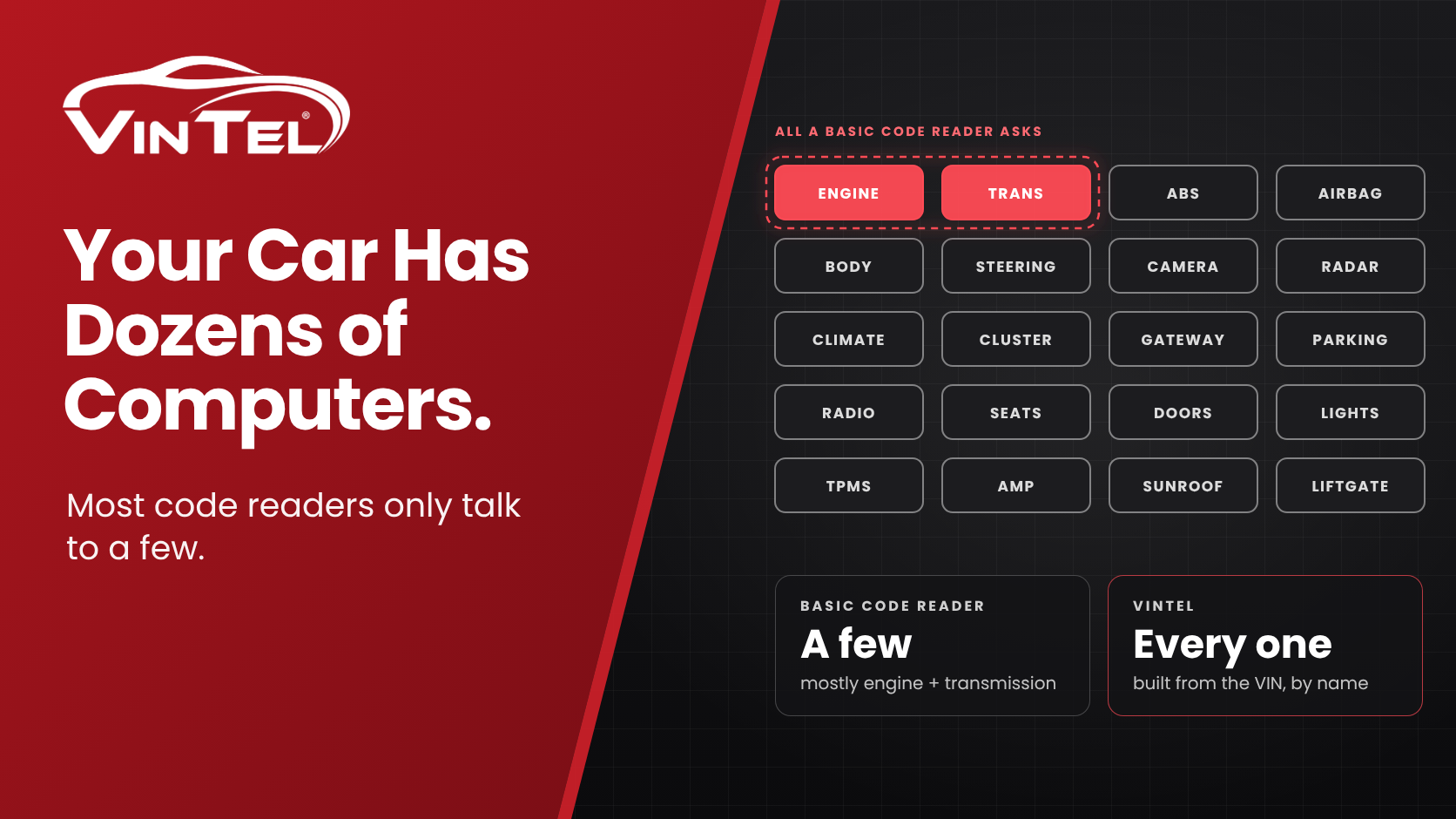
Picture this. You plug a cheap code reader into a used SUV and it proudly announces “No codes found!” Great news. Then VinTel looks at the same SUV and finds a body computer grumbling about the lights, and a parking-sensor module that forgot how to park. Worse, the forward camera behind the windshield has lost its calibration, which means the safety features that depend on it (lane keeping, adaptive cruise and automatic emergency braking, the stuff known as ADAS) can’t be trusted to see the road properly. And the touchscreen infotainment unit has been quietly logging faults every time it freezes and reboots mid-song. Same car, same minute, very different afternoon.
Nobody lied. The two tools simply asked different questions of different computers. Let’s walk through why, with zero prior knowledge required and only a moderate number of car puns.
Meet your car’s computers (yes, plural)
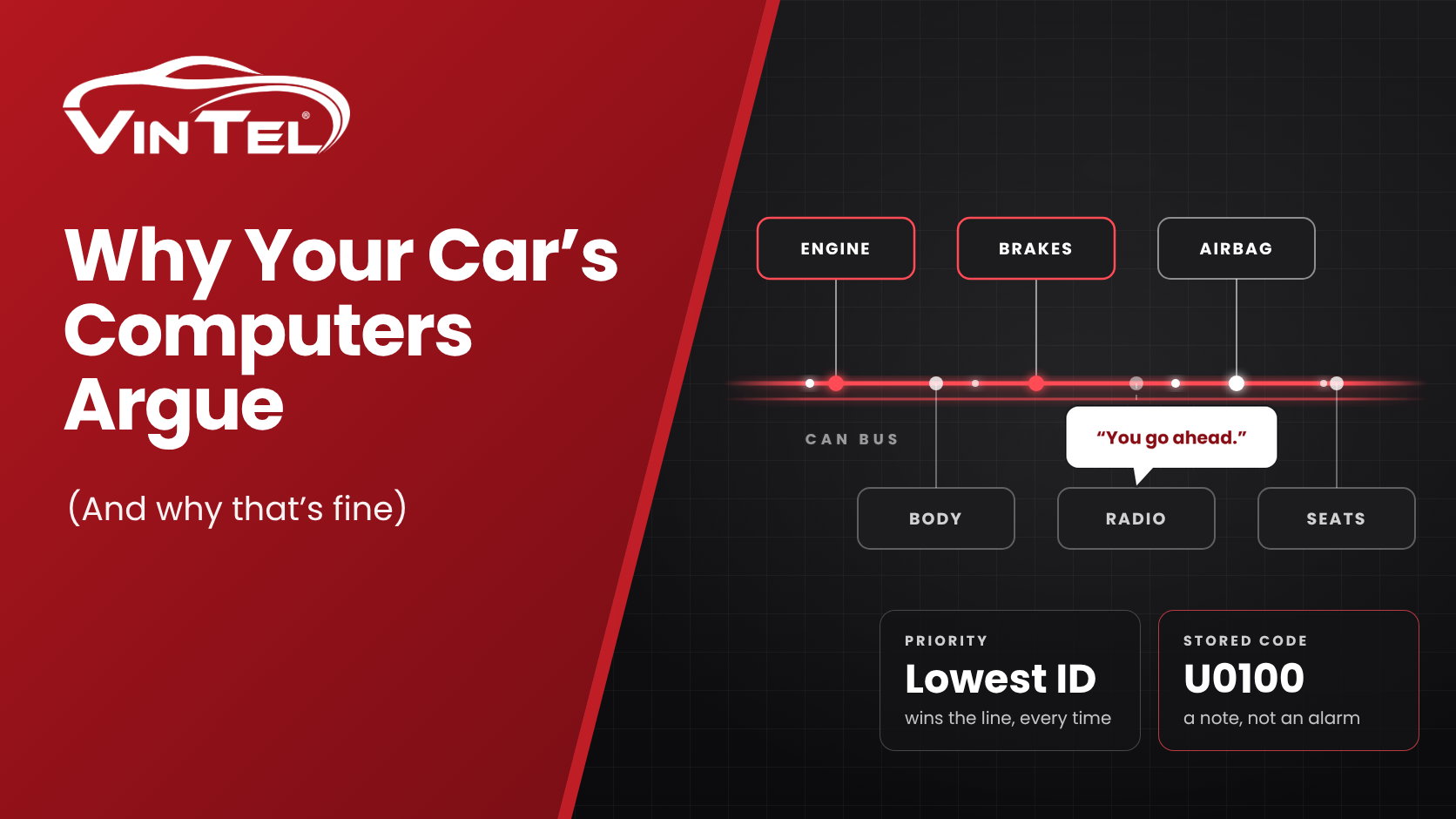
A modern vehicle isn’t one computer on wheels. It’s dozens of small ones, each with a job. Mechanics call them ECUs, short for electronic control units, but you can think of them as coworkers in an office:
- The engine computer runs the engine.
- The transmission computer handles shifting.
- The airbag computer waits, very seriously, for the worst day of your life.
- The brake computer keeps the wheels from locking up.
- The body computer looks after lights, locks, windows and wipers.
- Plus the cameras, radar, steering, climate, radio and a network hub that passes messages between everyone.
When one of these coworkers notices something wrong, it writes a note to itself called a trouble code (a DTC, if you want to sound fancy at parties). Reading those notes is what “scanning a car” really means.
The basic scan: shouting “Anyone have a problem?” into the office
Every car sold in the US since 1996 has to answer a small, standard set of questions so emissions inspectors can check it. This is called OBD-II, and it’s what a basic code reader uses. It asks three questions, which the industry calls modes $3, $7 and $A because naming things is hard for engineers:
| Question | Plain English |
|---|---|
| Mode 3 | “Any confirmed problems?” (usually the ones lighting the check-engine light) |
| Mode 7 | “Anything you’re suspicious about but not sure yet?” |
| Mode A | “Any problems you won’t let anyone erase until they’re truly fixed?” |
Here’s the catch. These questions are shouted to the whole office at once, and only the coworkers who are legally required to answer actually do. That’s mostly the engine and transmission computers, because emissions is the whole point.
The airbag, brake, body, camera, radar and steering computers? They hear the question, shrug, and keep working. They aren’t required to answer, so they don’t. A basic scan saying “no codes” really means “the two or three computers I asked are happy.” The rest of the office never got a word in.
The generic code book: a phrasebook with a lot of blank pages
Trouble codes look like P0420 or B1342. The basic rules for what they mean live in a standard called J2012, published by SAE, the Society of Automotive Engineers. (Full disclosure: I’ve been an SAE member for a long time, so the teasing that follows comes with love.) Think of it as a tourist phrasebook: great for “Where is the bathroom?”, useless for an actual conversation.
- The first letter says which part of the car is talking: P for powertrain (engine and transmission), B for body, C for chassis (brakes, steering, suspension), U for the network.
- Some codes are “generic” and mean the same thing on every car. P0420, for example, is the famous “your catalytic converter isn’t pulling its weight.”
- Many codes are “manufacturer specific.” For those, the phrasebook basically says “ask the carmaker.” The same code can mean one thing on a Ford, another on a Toyota, and something else again on next year’s Ford.
The phrasebook also isn’t exactly a page-turner of new material. J2012 was first adopted in 1992 and has been revised in 1994, 1996, 1999, 2002, 2007, 2013, 2016 and 2025. Think about what cars looked like in 1992: a cassette deck was cutting-edge tech. Since then we’ve gained backup cameras, touchscreens, lane-keeping, self-braking, hybrids and full EVs. Yet across all those revisions, the generic code list has grown remarkably little. The cars kept learning new words; the phrasebook mostly didn’t.
The generic book holds a couple of thousand entries. Sounds like plenty, until you learn that a single computer in a single modern car can have hundreds of codes of its own, most of them manufacturer specific.
So when a basic reader hits one of those, it has two options. It can say “Manufacturer specific code” and wish you luck, or it can guess using a description meant for some other car. Neither is great when you’re deciding whether to buy, sell or fix it.
The OEM-level scan: knocking on every door, by name
“OEM” just means the carmaker. An OEM-level scan is what the dealer’s own equipment does: instead of shouting into the office, it walks up to each computer, knocks on its door by name, and asks in the dialect that carmaker uses.
The answers are a lot more useful than a bare code:
- What went wrong, and how. Not just “wheel speed sensor,” but “wheel speed sensor, wire looks broken” versus “wheel speed sensor, reading doesn’t make sense.” Those are very different repair bills.
- Is it happening right now? Each code comes with a little status report: active now, happened earlier, happened once, keeps coming back.
- The back story. Many computers also save what the car was doing when the problem showed up.
It’s the difference between a friend saying “something’s up with your car” and a mechanic saying “left rear wheel sensor, signal glitching, happened twice since last week, fine right now.” One makes you nervous. The other tells you what to do.
How VinTel builds a scan for one car (and only that car)
Every car has a 17-character VIN, its fingerprint, printed on the dashboard and the door frame. To you it looks like a cat walked across a keyboard. To VinTel it’s a recipe card.
From the VIN, VinTel works out the make, model, year, engine and build details, which together we call the vehicle’s DNA. If the VIN is the fingerprint, the DNA is everything that makes this car this car. That tells us which computers the car was built with, plus the optional ones it might have, like a premium sound system, a sunroof module or an upgraded driver-assist package. If the car can have it, it gets checked.
Then we build a payload: a custom set of instructions saying where each computer lives in the car, which dialect it speaks, and which trouble codes it’s able to report. That payload is loaded into the VinTel module plugged into the car, so the module is set up for that one VIN before it asks a single question. This entire process takes VinTel module in combination with the VinTel AWS Cloud just a few seconds to build. No guessing and no shouting into the office cubical farm.
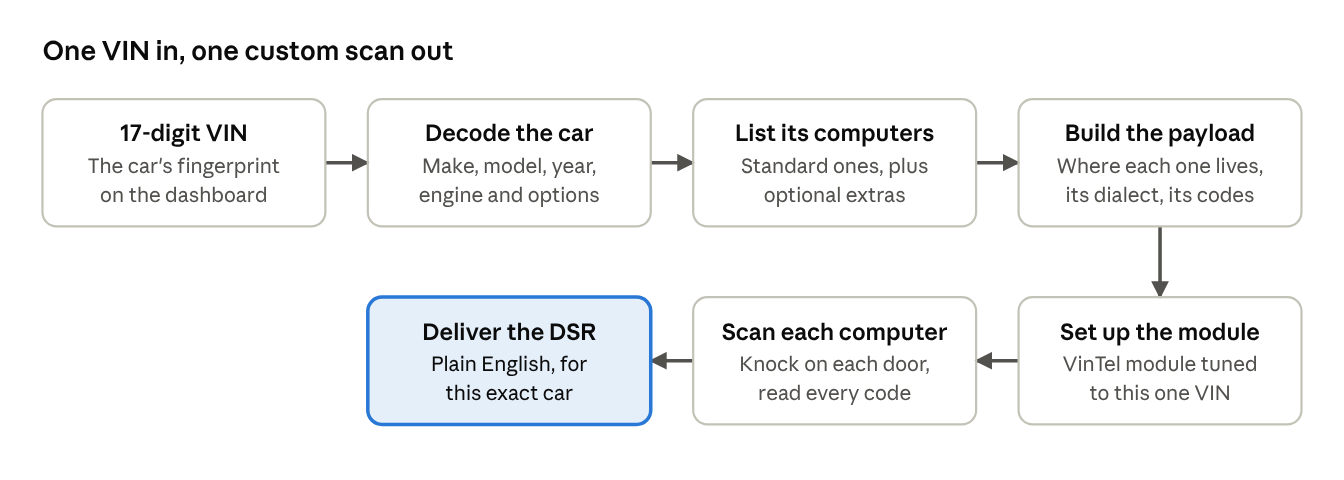
The whole trip is one direction: VIN in, a scan tailored to that car, and a report written for that car out.
Same job title, different person
Here’s something most people never think about: two cars with the same name don’t necessarily have the same computers inside. The body computer in a 2019 model and the one in a 2023 model might come from different suppliers, run different software, and keep a completely different list of trouble codes.
It even changes mid-year. A software update can add new codes, retire old ones, or quietly change what a code means. Same job title, different person sitting at the desk.
VinTel keeps track of that. For each computer, our code lists are matched to the model year, the computer’s part number, and its version, so the codes we look for are the codes that exact computer actually uses.
We go one step further with the descriptions, too. The same code can be worded a little differently from one computer to the next, so it makes sense for the job that computer does. “Circuit voltage low” means one thing coming from a headlight module and another coming from a seat heater, and the description should tell you which.
What that means for you:
- The right explanation. A carmaker-specific code is explained for this carmaker, this computer and this version, not borrowed from some other car that happens to use the same code.
- The “how” in plain English. “Wire is broken” and “reading doesn’t make sense” are reported as the different problems they are.
- Oddballs get noticed. If a computer reports a code it shouldn’t have, we flag it instead of slapping on a wrong label. We engineers can be a sloppy bunch and accidently leave developmental DTC codes in production software…oops.
The generic phrasebook can’t do any of that. It only knows the generic half of the story.
The cheat sheet
| Basic code reader | VinTel | |
|---|---|---|
| Who it talks to | The few computers required to answer (mostly engine and transmission) | Every computer that car is built with, including optional ones |
| How it asks | Shouts one question to the whole car | Knocks on each computer’s door by name |
| Code book | Generic phrasebook; carmaker codes are blank or guessed | Codes matched to that carmaker, model year, part number and version |
| What you learn | A code, maybe a vague description | What failed, how it failed, and whether it’s happening now |
| Built for | Emissions checks | Knowing what’s really going on with that car |
Why this is harder than it sounds (and why we bothered)
Talking to every computer by name is easy to say and very hard to do well. You need two things most scan tools don’t have, and VinTel has both.
Direct access to carmaker information. VinTel is licensed by the carmakers themselves. That license is what gives us official access to their own diagnostic data and service documentation, not a scraped forum post or a best guess: which computers each vehicle is built with, how to reach them, and what every one of their codes means. Then we do the unglamorous part, organizing it by make, model, year, part number and version, and writing plain-English descriptions people can actually understand.
Lots of time with real cars. Paper says one thing; a 2018 sedan in a parking lot sometimes says another. Our team tests on real vehicles, across many makes and model years, to confirm that each computer answers the way we expect and that what we report matches what’s actually going on under the hood.
Put those together and you get something a generic code reader can’t fake: a scan built for one car, checked against the carmaker’s own playbook, and proven on the real thing.
The bottom line
A basic code reader is like asking “everyone okay?” from the doorway and taking silence as a yes. VinTel walks the whole building, checks in with every desk, and writes down exactly what each one said.
All of that lands in the VinTel Diagnostic Status Report (DSR): every computer on that specific car, every code it reported, explained in plain English for that exact vehicle. So the next time a scan says “no codes found,” you’ll know to ask the follow-up question: found by whom?